Navigation: Basic Working Procedures > Schedule Board >
Perform Schedule Slot Tasks


|
Navigation: Basic Working Procedures > Schedule Board > Perform Schedule Slot Tasks |
|
When you Perform Schedule Slot Tasks you are doing the main work of the Schedule Board. In this section we describe the various Tasks.
First of all, remember that with a right-click on the Schedule Slot itself, you bring up the attached Actions menu:
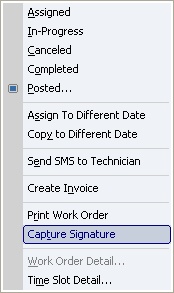
The following topics and sub-topics describe various Schedule Slot Tasks:
Page url: http://www.fieldone.com/startech/help/index.html?_perform_schedule_slot_tasks.htm